ip
ChatterBot User Guide
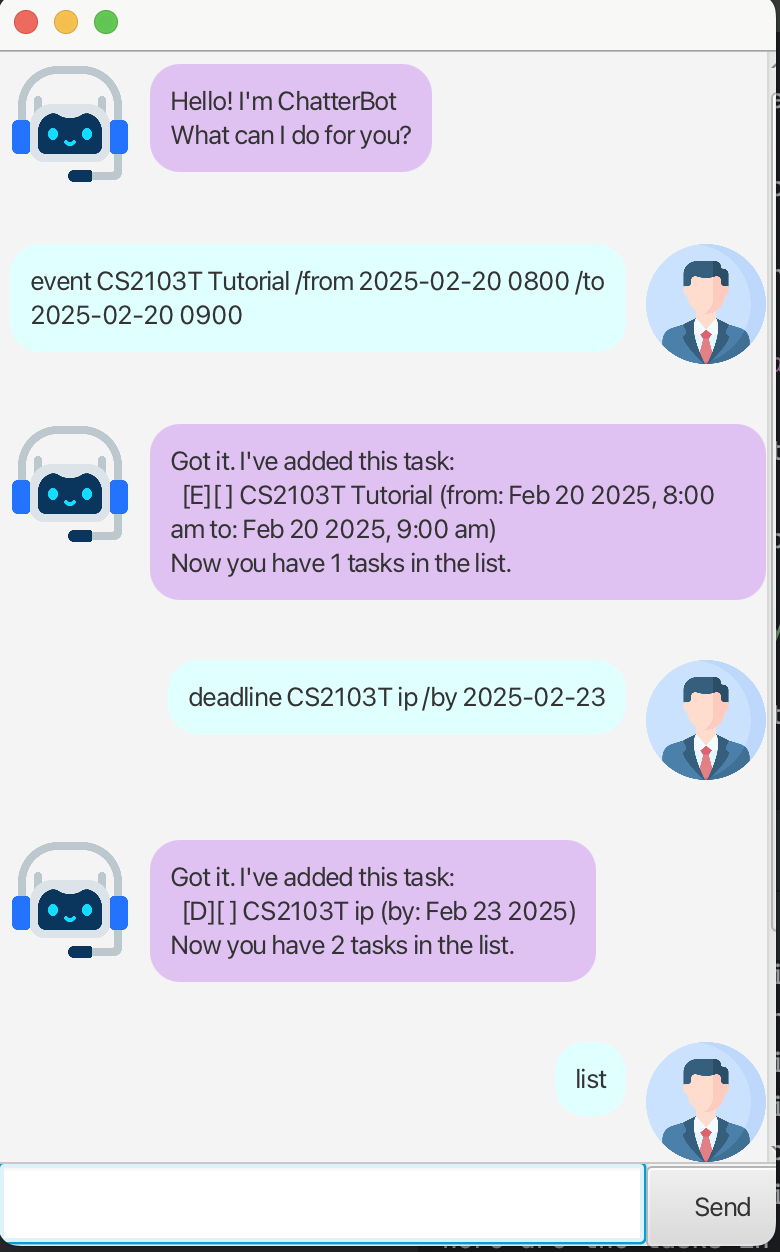
Introduction
Welcome to ChatterBot, your intelligent chatbot assistant for task management.
Getting Started
- Install Java 17
- Download the latest release
- Run the following command:
java -jar ChatterBot.jar
Add tasks
ChatterBot helps you track tasks easily. There are three types of tasks: todos, deadlines with a due date, and events with start and end times.
Example Usage:
todo Buy groceries
deadline Complete quiz /by 2025-02-20 1800
event Project meeting /from 2025-02-22 1400 /to 2025-02-22 1600
Example Outcome:
Got it. I've added this task:
  [D][ ] Complete quiz (by: Feb 20 2025, 6:00 PM)
Now you have 1 task in the list.
List tasks
To list all tasks, use the list command.
Example Usage:
list
Example Outcome:
Here are the tasks in your list:
1. [T][ ] Buy groceries
2. [D][ ] Complete quiz (by: Feb 20 2025, 6:00 PM)
3. [E][ ] Project meeting (from: Feb 22 2025, 2:00 PM to: Feb 22 2025, 4:00 PM)
Delete Tasks
To remove a task from your list, enter delete then a task number.
Example Usage:
delete 2
Example Outcome:
Noted. I've removed this task:
  [D][ ] Complete quiz (by: Feb 25 2025, 6:00 PM)
Now you have 2 tasks in the list.
Mark and unmark tasks
To mark a task as done, enter mark/unmark, then a task number.
Example Usage:
mark 1
unmark 1
Example Outcome:
Nice! I've marked this task as done:
  [T][X] Buy groceries
Find tasks
To search for a task, use find then a keyword.
Example Usage:
find groceries
Example Outcome:
Here are the matching tasks in your list:
1. [T][ ] Buy groceries
Find free time slots
ChatterBot helps you find the next available free time slot for scheduling new events.
Example Usage:
free 4h
Example Outcome:
The nearest 4-hour free slot is on Feb 26, 2025 from 2:00 PM to 6:00 PM.